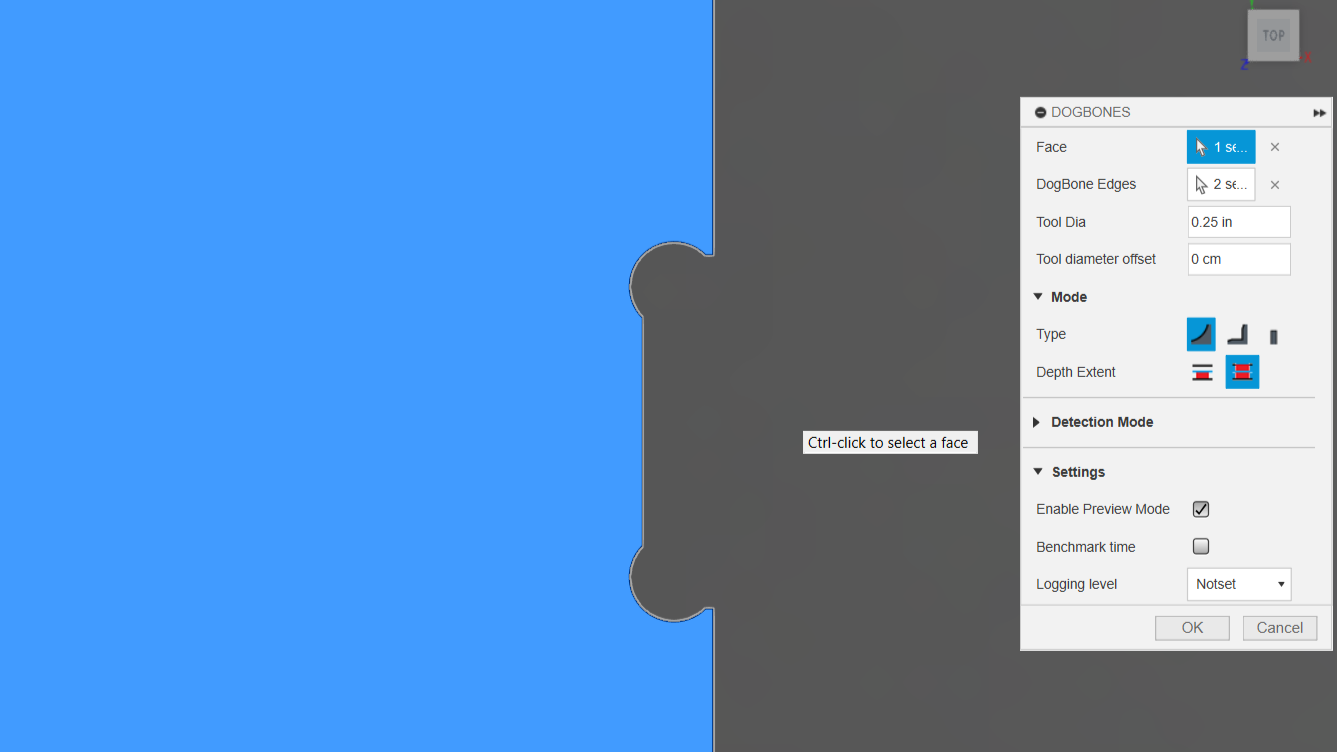
⬇️
First clone the repo mentioned below.
https://github.com/DVE2000/Dogbone
🚨
Now go to the folder mentioned below:
%appdata%\Autodesk\Autodesk Fusion 360\API\Scripts

(copy it and paste in the file as shown below )
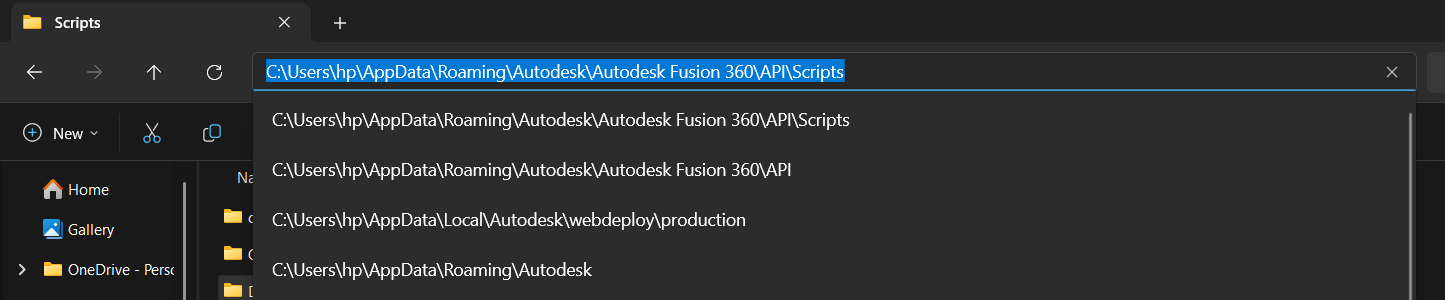
🚨
Create a folder named as “Dogbone”.
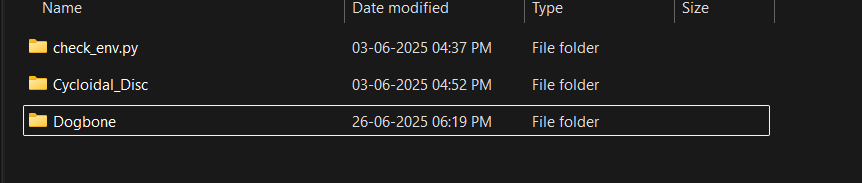
🚨
Now paste the file from the cloned repo to that folder.
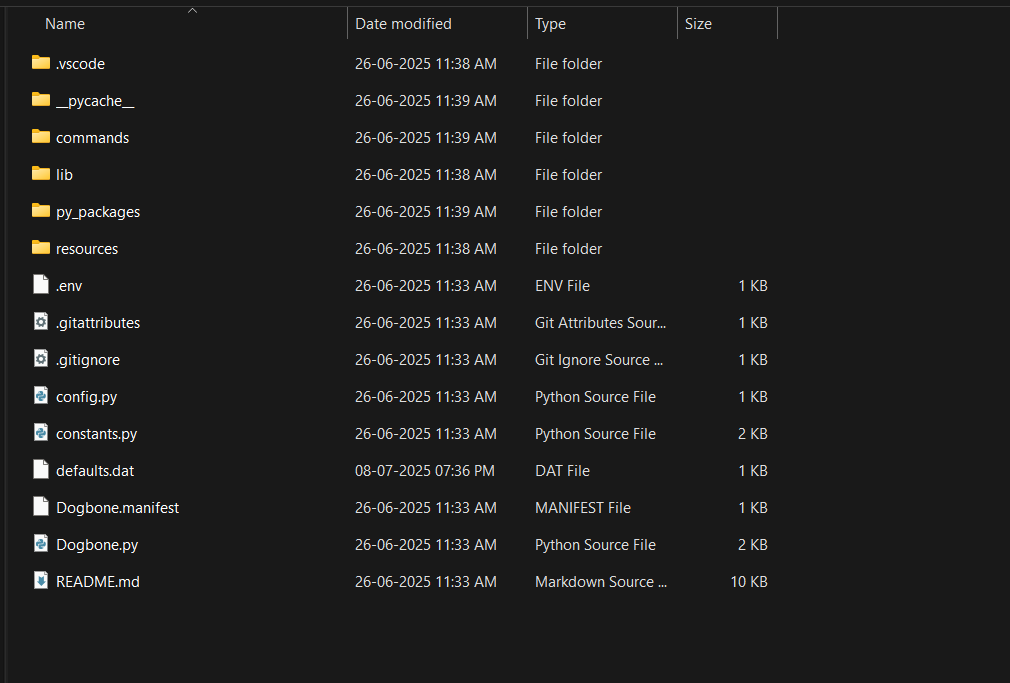
🚨
Restart Fusion 360, and you will see the dog bone icon at the top as shown below.
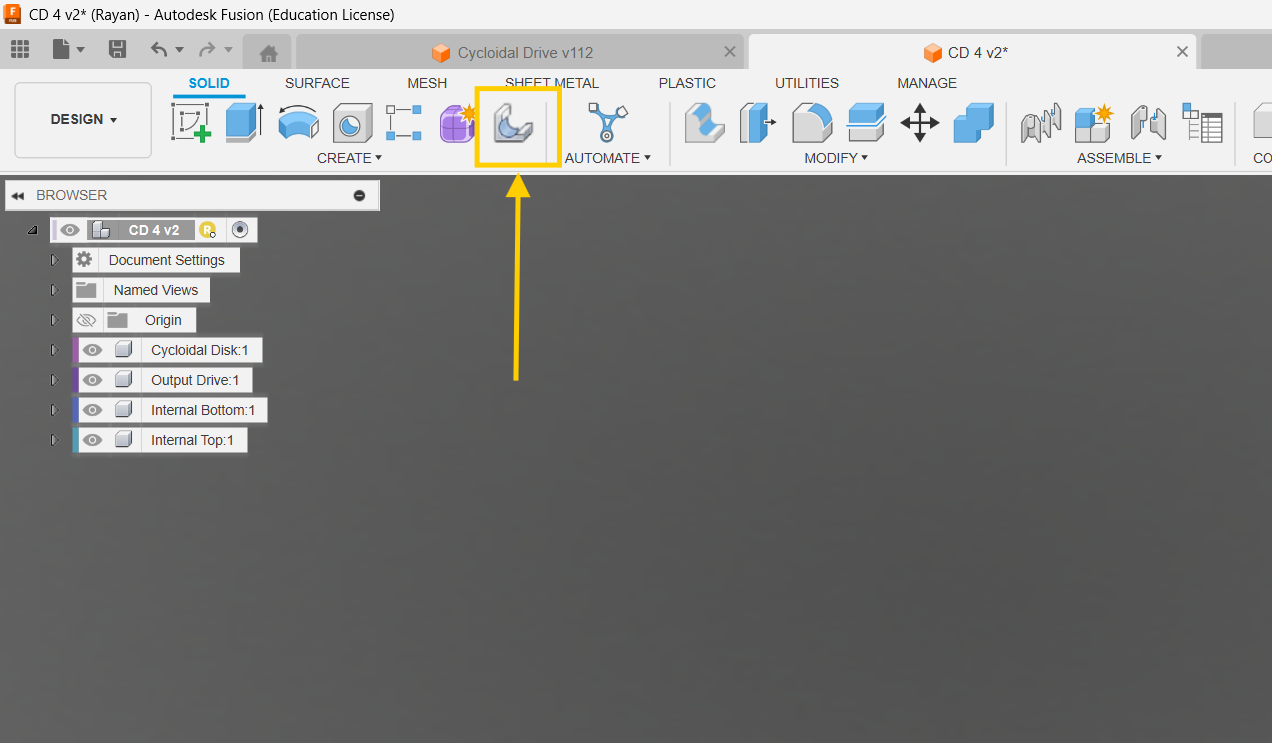
🚨
Now you can use the dog bone for free.
📢
Select the dog bone option and press Ctrl and click on the surface on which the dog bone needs to be applied.
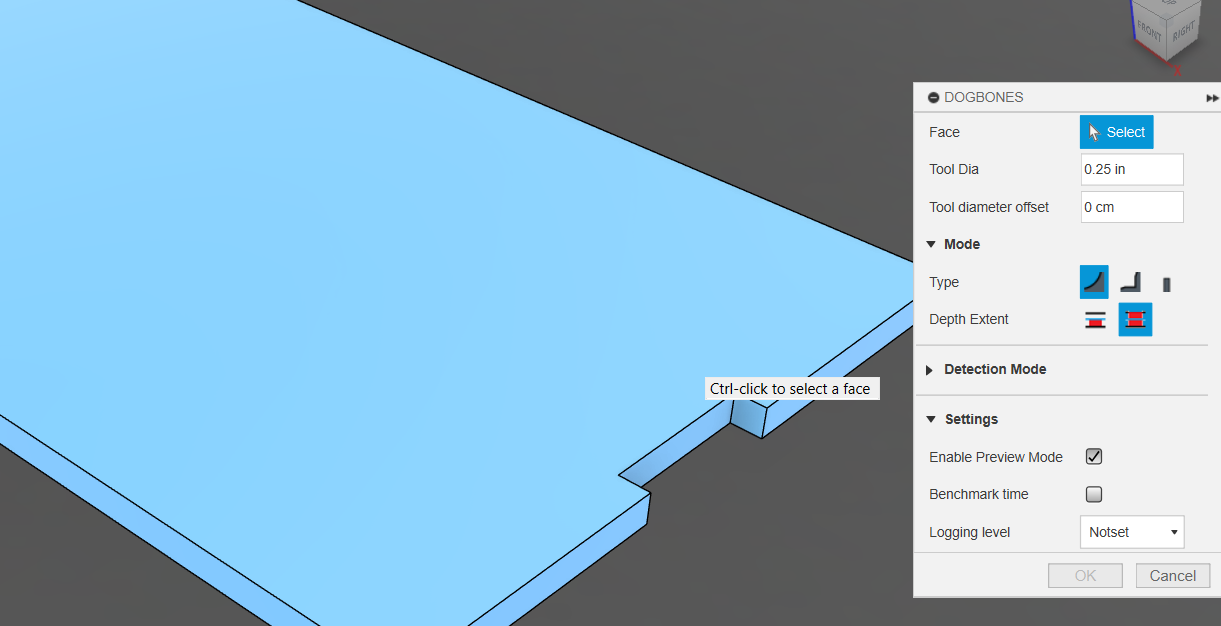
📢
The final result after the dog bone fillet is shown below.